

Overview
The Hyperbrowser MCP server provides a standardized interface for AI models to access powerful web automation capabilities like scraping, structured extraction, and crawling. You can find the server implementation on GitHub: hyperbrowserai/mcp.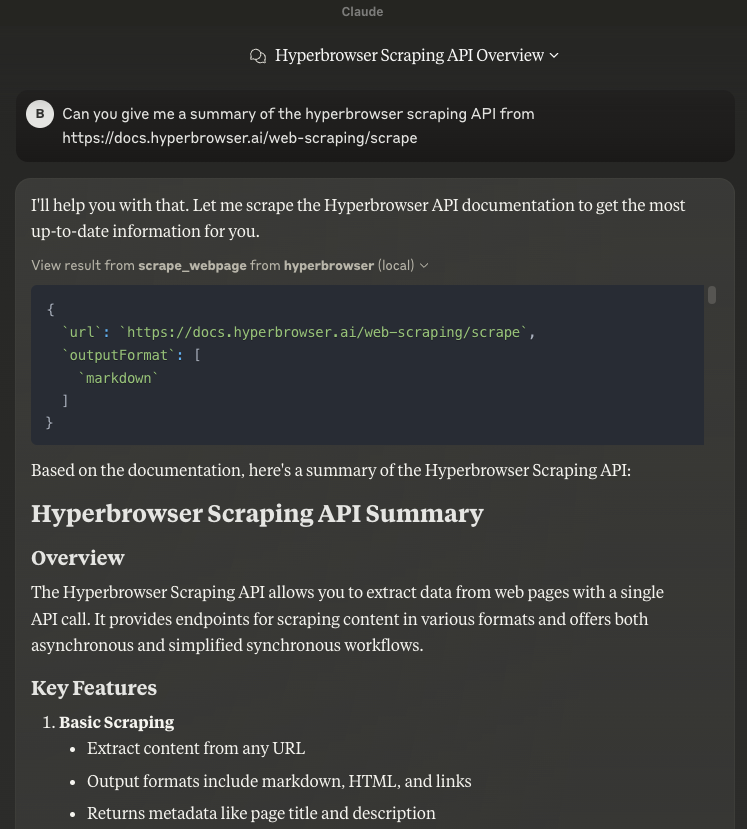 With the Hyperbrowser MCP, Claude can browse the web.
Installation
Prerequisites
- Node.js (v14 or later)
- npm or yarn
Setup
- Install the Hyperbrowser MCP server:
Configuration
Client Setup
Configure your MCP client to launch the Hyperbrowser MCP server:Alternative: Shell Script Wrapper
For clients that don’t support anenv field (for example, Cursor):
run_server.sh and add your API key:
Tools
Scrape Webpage
Retrieve content from a URL in various formats.- Method:
scrape_webpage - Parameters:
url:string– The URL to scrapeoutputFormat:string[]– Output formats (markdown,html,links,screenshot)apiKey:string(optional) – API key overridesessionOptions:object(optional) – Browser session configuration
Extract Structured Data
Extract data from webpages according to a prompt and optional schema.- Method:
extract_structured_data - Parameters:
urls:string[]– URLs to extract from (supports wildcards)prompt:string– Instructions for extractionschema:object(optional) – JSON schema for extracted dataapiKey:string(optional) – API key overridesessionOptions:object(optional) – Browser session configuration
Crawl Webpages
Navigate through multiple pages on a site, optionally following links.- Method:
crawl_webpages - Parameters:
url:string– Starting URLoutputFormat:string[]– Desired output formatsfollowLinks:boolean– Whether to follow linksmaxPages:number(default: 10) – Max pages to crawlignoreSitemap:boolean(optional) – Skip the site’s sitemapapiKey:string(optional) – API key overridesessionOptions:object(optional) – Browser session configuration
Session Options
All tools support these common session configuration options:useStealth:boolean– Make browser detection more difficultuseProxy:boolean– Route traffic through proxiessolveCaptchas:boolean– Automatically solve CAPTCHA challengesacceptCookies:boolean– Automatically handle cookie consent popups